You
Put the month total at the top of the invoice page.
Files, a terminal, and your coding agents on one machine that never turns off. Add someone by email.
Join the waitlistLog in and edit files while the agent is still working.
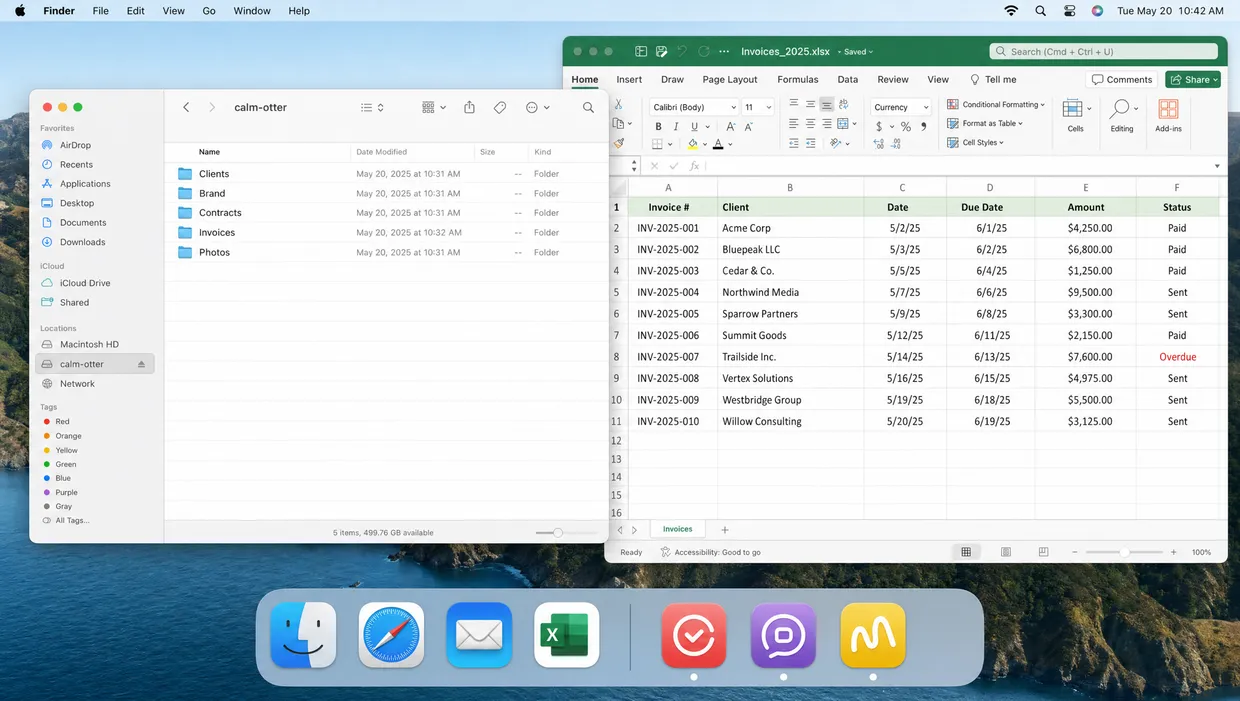
Its files are on your Mac, in the apps you already use. Edit the spreadsheet in Excel and the agent picks up the change the moment you save.
The same machine you ssh into, with your history and your installs. Open the whole thing in VS Code or Cursor over Remote SSH when you would rather work there.
dev@green-zebra:~$ docker ps
postgres redis atlas-web
dev@green-zebra:~$ git status -sb
## fix/auth-redirect-loop
M src/router.ts
dev@green-zebra:~$ npm run dev
ready on localhost:3000
Run it on the machine, reach it at localhost while you work on it.
Add a teammate by email. They open the same machine you are on, and can pick up whatever the agent is in the middle of.
annual billing toggle #atlas


 +2
+2Annual billing toggle
Add a yearly option to the pricing page and make it the default. The badge copy is still open.
Todos
PricingHeader.tsx.Ask for a dashboard, a lookbook, a feature preview. The agent builds it and leaves it running at its own address, open to you and the people you added by email, and still there next month.

A portfolio site
Build a lookbook page from the Spring shoot in Photos, one grid, nothing fancy.

Built from the 24 images in Photos. It was live the moment it ran.
lookbook.mykumo.xyz
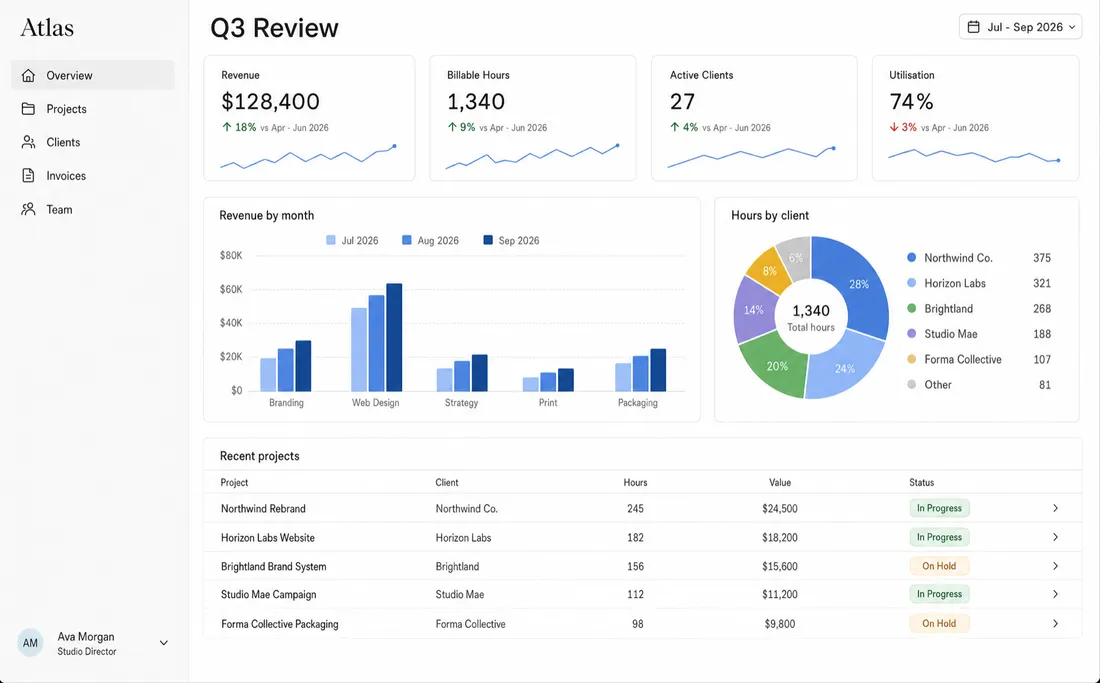
A quarterly report
Turn the Q3 numbers into a dashboard the partners can check for themselves.
It reads the sheet directly, so the figures move when you edit it.
q3-review.mykumo.xyz
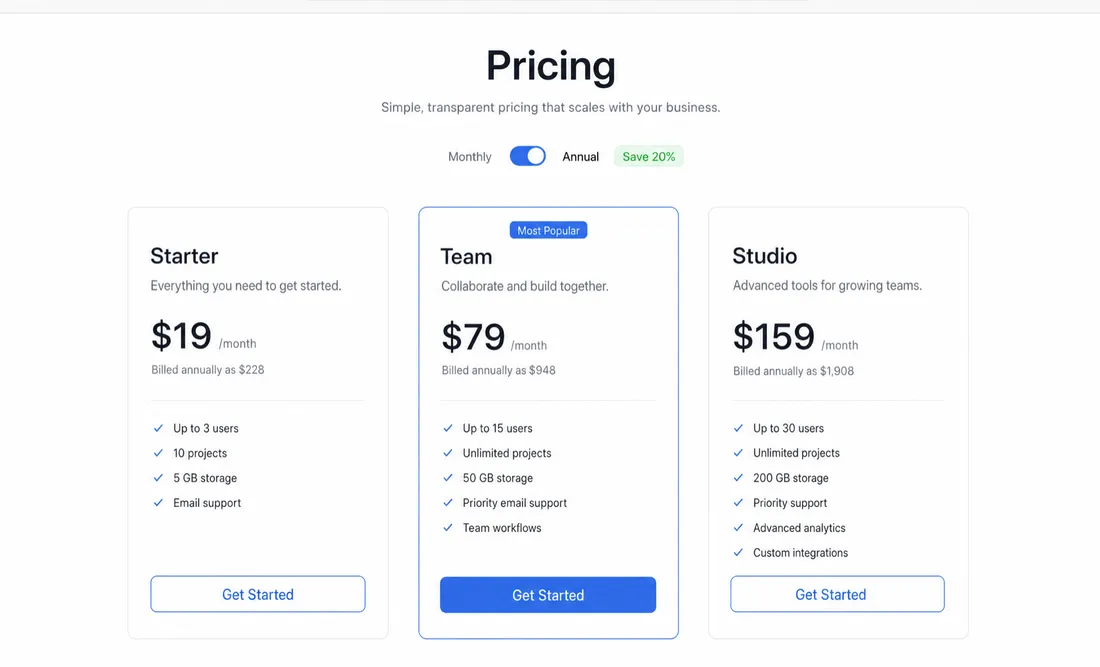
A feature preview
Add the annual billing toggle to the pricing page so I can show Dana before we ship.
Running on a branch, so nothing in production moved.
atlas.mykumo.xyz

up 9d 4h
Debugging the checkout 500

shared with Maren and Dana
up 2d 11h
Competitor pricing teardown

up 5d 1h
Adding Stripe payments
Yes. The machine is a real computer in the cloud and it does not sleep when you do. Hand the agent something at the end of the day and it is still going in the morning, with the files and the branch where it left them.
Every machine gets its own subdomain, and whatever it is running answers there. So what you hand a client is an address like calm-otter.mykumo.xyz rather than a screenshot you have to talk over, and it stays up because the machine stays up. The address is not public: a visitor has to sign in, and only the people you have added by email get through.
A browser. Kumo opens in a tab, so there is nothing to install and nothing to set up before you open your first machine. Everything you would normally install goes on the machine instead, where the agent can use it too.
Yes, and it is optional. There is a Mac app at /download for people who would rather keep their machines in a native window than a browser tab. It opens the same machines, and nothing here needs it.
Whichever one you already pay for. Claude Code, Codex and others, running on a machine that's actually yours to open.
Whatever you can. Sharing hands over the machine, not a view of it: the same files, the same terminals, the same agent, and SSH once they have added a key. Only you can rename it, delete it, or change who else is on it.
Your repositories over Git, and whatever the coding agent you bring can already reach. Hosted connectors for Linear, Slack, Notion and the rest are being ported over and are not here yet. No browser automation, no CRM or invoicing jobs.
We're onboarding new people every day. Leave your email and we'll come to you.
Join the waitlist


